Showing posts with label Kindergarten. Show all posts

Wednesday, July 10, 2013

Amazing Apps for Every Grade Level at Holy Trinity School


During the 2012-13 school year, as we piloted using iPads in every classroom at HTS, our teachers and students sampled hundreds of Apps.  Many were fantastic, others not so much :)  At the end of the school year, it was time to clean house, so the teachers were asked which Apps they would like to keep for the 2013-14 school year.  The incredibly organized Mr. Clark has spend the past few weeks getting all the iPads updated for the next school year, and we thought our school community might enjoy taking a peek at the Apps that have made the cut.  Keep in mind our list will evolve a bit as the summer progresses...
PreK-K iPads
  • Addition Wiz Free**
  • All About Letters Interactive Activities
  • Bob Books #1 - Reading Magic HD
  • Bob Books #2 - Reading Magic HD
  • Cimo Spelling (Sight Words)*
  • Don't Let the Pigeon Run this App*
  • Elmo Loves ABCs for iPad
  • Fish School HD - by Duck Duck Moose
  • Freefall Spelling
  • I Like Books - 37 Picture Books for Kids in 1 App
  • Kids Learning to Read - Little Reader 3 Letter Words*
  • Letter Writer Oceans (Preschool ABC's)
  • Little Solver - Preschool Logic Game
  • Math with Mouse
  • Monkey Math School Sunshine
  • Monkey Preschool Lunchbox
  • Montessori Numberland HD
  • Musical Paint
  • Park Math HD - by Duck Duck Moose*
  • Raz-Kids**
  • Scribble my Story - A Fingerprint Network App**
  • Skitch**
  • Starfall ABCs
  • Starfall Learn to Read*
  • TeachMe: Kindergarten
  • TeachMe: Toddler
  • Word Magic*

Tuesday, June 11, 2013

Mrs. Miller's Top 10 Apps for Pre-K (Rising Kindergarten)


Phonics

   1.     Starfall ABC’s - $2.99 (Very basic:  See, hear and interact with letters and sounds in words, sentences, and games) and,
Starfall Learn to Read - $2.99:  There are 15 mini-books, each focusing on a specific beginning sound, ending sound and vowel sound, along with videos and activities to enhance literacy learning. 

2.     Free Fall Spelling - $.99:  Works great with Pre-K/K as a tool for learning the alphabet by turning on “Show Hints” under the Settings menu.

Friday, June 7, 2013

Mrs. Miller's Top 10 Apps for Kindergarten/Rising 1st Grade


Catherine Miller spends quite a bit of time with little people and iPads, and has put together a list of her favorite Apps for hours of learning fun:

Phonics

1. Starfall Learn to Read - $2.99:  There are 15 mini-books, each focusing on a specific beginning sound, ending sound and vowel sound, along with videos and activities to enhance literacy learning.

2. Free Fall Spelling - $1.99: 150+ spelling words of common objects.  Three ways to practice spelling: Letter Drag and Spell; Typewriter Spell; Word Scramble

3. First Words Deluxe – $4.99: Learn to spell words in these categories: animals, vehicles, colors, shapes and items around the house.

4. Word Magic - $.99:  Fill in the missing letter (beginning sound, ending sound and middle sound).

5. Scribble My Story – Free: A book and art creation app where kids can create their own stories.


Wednesday, May 29, 2013

Digital Fun for Creative Kids

Our friends at Common Sense Media have released their annual summer treasure trove of ideas for digital fun, and this year creativity is king:

http://www.commonsensemedia.org/guide/digital-fun-for-creative-kids

One of the things I love about the Common Sense website is that they carefully assess each app or website with age levels in mind, which makes it easy for parents to evaluate what is best.  In scanning some of the suggestions, I am so comforted to know that the folks at Common Sense agree that all that time my boys have spent on Minecraft and Civilization is actually educational...

The guide offers a number of suggestions for crafting and creating art, storytelling, coding, creating media and building.   Sounds like hours of fun to me (as long as it is mixed in with a good bit of physical fun as well!).  Be sure to leave a comment if you have found a particularly amazing app or website you would like to share...


Sunday, April 21, 2013

Teach your Monster to Read


Lower school tech teacher Catherine Miller has been using Teach Your Monster to Read with some of our early childhood students, and they absolutely love it!   This engaging website would be a great resource to tuck into your summer learning stockpile for little people.

Monday, March 25, 2013

Learning A-Z and RAZ Kids

Once upon a time, many years ago, my youngest son was struggling to learn to read.  In retrospect, I think it was simply a case of finding the block corner and any opportunity for imaginary or active play far more interesting than the storybooks in his classroom, but he was a bit behind his classmates, and his teachers were becoming concerned.  So, during the summer between first and second grade, his teachers encouraged us to read to him A LOT, and work with a series of leveled readers that could be found online using the website Reading A-Z.   This is such a fantastic resource.


Tuesday, January 8, 2013

E is for Explore


Happy New Years All!

I discovered this amazing blog this morning from the iLearn Technology Blog.  What a find!!  Blogger Erin Bittman is a graphic designer who has taught Pre-K and graphic design to kids.  The design of the blog is beautiful, and the hundreds of ideas are brilliant.  I think you will find ideas for every subject and grade level with this blog to help perk up lessons during those long January days. Topics include discovery/exploration, science/engineering, mathematics, art, literacy, social studies and seasons/holidays. 

Friday, October 19, 2012

Tumblebooks and Bookflix!


Tumblebooks are wonderful animated online picture books.  I have previewed a number of them, and I suspect our students will find them as engaging and fun as I do.
It is possible to access Tumblebooks through many local library systems including Fairfax County and DC. The link to access Tumblebooks through the DC Public Library site is here:  http://www.dclibrary.org/kids/videobooks

(you can also find the link to Bookflix there, which I describe below)

Tuesday, June 19, 2012

The Joy of Reading with the KidsPost Summer Book Club!


Each summer, the Washington Post KidsPost sponsors a summer book club, and suggests a number of wonderful titles to read.  This club is open to kids ages 5 to 14, and those who are registered receive a bookmark designed by a local child. Children may read some or all of the books on the list - on the honor system. (So you could mix in a few of these titles with the ones on your HTS Summer Reading Lists) The Post reports: "We just want kids to enjoy summer reading, and we hope this helps."

 If you would like to register for the program, click on the link here to learn more:
Join the Washington Post Summer Book Club (Kids, you will need your parents help to register)

The eight books suggested this year include:
 Three Times Lucky by Sheila Turnage
 Summer of the Gypsy Moths by Sara Pennypacker
Anyway* by Arthur Salm
The Secret Tree by Natalie Standiford
Stars in the Shadows by Charles R. Smith, Jr.
Summer of May by Cecelia Galante
Crunch by Leslie Conor
Absolutely Normal Chaos by Sharon Creech

 Have a favorite on the list?  Leave a comment below!

Wednesday, June 13, 2012

10 Recommended Apps from our Early Childhood Students


This year, thanks to our generous parents, we were able to pilot iPads with our Pre-K, Kindergarten and 1st graders.  Each class received five iPads loaded with (only!) educational apps, and the children played with these apps during center time.  When I walked in to classrooms with these new gadgets after Christmas break, I found I had an immediate hobbit-sized fan club - the kids LOVE iPads.  Everyone involved was impressed by how engaged the kids were while learning basic building blocks in language arts and math. The EC team met earlier this week to discuss the program, and among the topics discussed were classroom favorites, as we look to build our library of "apps that work" for next year.  So, in no particular order, I offer you the favorite educational apps among the littlest students of HTS during the spring semester of 2012:

(All apps can be purchased from iTunes or the AppStore, and many can be run on iPhones in addition to iPads)

1. Don't Let the Pigeon Run the App

This app is more than simply an online story book - it lets children create their own Pigeon stories with their pal, Mo Willems.  Our pigeon-loving students loved the creative possibilities of the three games on this App.


2. Super Why
This was a huge favorite among the younger set. Based on the PBS series, this app offers four games: Lickety Letter Hunt, Wands up Writing, Rhyming Time and Story Saver.  The children love the graphics, and are able to earn stickers as they successfully complete the games.  Stickers are a big deal for these kids :)


3. Math Bingo
This game offers the option to practice math facts in addition, subtraction, multiplication and division... or a mix of all problems. It was very popular with our 1st graders this year, who loved the quirky little creatures that took up residence on their bingo boards.  It is possible to set up a player profile, so you can see which problems your child is solving correctly.

4. Word Bingo
This was a huge favorite among our first graders, but it is possible to set leveled word lists from Pre-Primer through 3rd grade.  Like Math Bingo, the kids found love the critters on the bingo board. Beyond the bingo game, the app also offers a spelling practice options.

5.  Teach Me Kindergarten
The children loved to earn stickers while learning important kindergarten skills such as addition, subtraction, sight words and spelling.  It is possible to set specific topics for the children to work with.


6. Teach Me First Grade
Again, earning stickers was very motivating to our students while they learned all-important skills such as addition, subtraction, sight words and spelling.  It is possible to set specific topics for the children to work with.


7. Bobo Explores Light
Mr. Denny reported that this was a huge favorite in his 1st grade class.  The Bobo Explores Light iPad book takes fundamental science concepts for school-age children, and injects them with humor, astonishment and whimsy.  It is truly wonderful.


8. Pirate Trio - Love to Count
This lovely, engaging British game introduces numbers as being the indicators of order, time, weight and quantity.  Parents are provided a tracking screen which is helpful for evaluating a child's progress.  The kids love this game.


9. Pirate Trio - Love to Read
The companion to Love to Count is an app inspired by Montessori teaching methods designed to lead children through the steps of getting to know words and understanding how to apply them. The child shakes the iPad or iPhone to scatter the letters, and the challenge is to put the letters back into place so the word is re-constructed again.  This was a favorite in the kindergarten and PreK.

10. Little Matchups - Count Money 
OK, I'll be honest.  This wasn't one of our student's favorite games, but a game that speaks to an area of weakness for many of our students.  The "Little Matchups" games are very visually appealing and easy to use for the kids.  Be sure to explore others by this game designer.


We'll be hunting for great new apps to introduce in the fall, so let me know if you discover any wonderful new titles.

Monday, June 11, 2012

10 Ideas for Practicing Math Skills This Summer

Last summer, I provided links to CoolMath4Kids and series of games to build skills in multiplication, such as Multiplication.com and Johnnie's Math Page.  I'd like to offer a few more ideas of websites that have activities spanning many of our grade levels:

1. IXL - this site offers comprehensive dynamic lessons and activities for every grade.  It is possible to take a look at the IXL, and try a series of sample problems, but to get full use, you must purchase a membership for a nomimal fee. A few of our teachers use this site, and love it.  The activities are engaging and the kids find it to be fun.   We will be looking into using this website next school year,  so please let me know if you try it and have any comments.


2. Mathletics - I have heard wonderful things about this site from my friends who teach in International Schools.  It's incredibly engaging, and for kids who are competitive, it can be very motivating.  This is an Australian website.  Again, it is a paid subscription, and we will be exploring it's use at HTS next year.  One of the elements of the site I love is a page called Rainforest Maths.  If you decide to subscribe, please let me know if you have any feedback!


3. Dreambox - We use this website with our 1st - 4th Graders, so they should be familiar with it, and be able to link to our school's page here.  Our younger students love the colorful, imaginative and challenging  games on the website, but never seem to have enough time to play it in school.  Perhaps over the summer would be a good time to work on reinforcing their math concepts!


4. PBS Kids Math Games - PBS Kids offers dozens of free games designed primarily for Lower School students in mind.  I would like to point out a particular group of games that tie into the Cyberchase show.  These games are designed with students aged 8-12 in mind, and our students (especially the 4th and 5th graders) find them to be incredibly fun.  The site is free of advertisements.


5. Internet4Classrooms - This site lists hundreds of games and challenges for students across all our grade levels - in all subjects.  It helps to know exactly what you might need practice with (say fractions), as sometimes I find it takes a bit of hunting to find the perfect game.  The good news is that all the games are free. The downside is that the advertising can get distracting.


6. Khan Academy - Khan Academy is a free website.  Students can set up an account using their HTS Email and password.  They can do activities to strengthen their skills from early learning through Calculus.  They can also watch videos to learn new skills or review old ones (it's great for parents to have a resource to brush up on skills learned years ago as well!)  If students enter their parents' information under the "coach" tab, parents can sign in as the coach and get useful information about activities completed as well as strengths and weaknesses.


7. EdHelper - This site provides hundreds of worksheets to help review skills.  Again, it encompasses all subjects and grade levels.


8. BBC Maths Key Stage 2 (through age 11)

I love the BBC websites because they tend to be very engaging and colorful - and always free and without advertisements.  The links to math sites are offered here, but BBC offers games and activities across a range of disciplines.


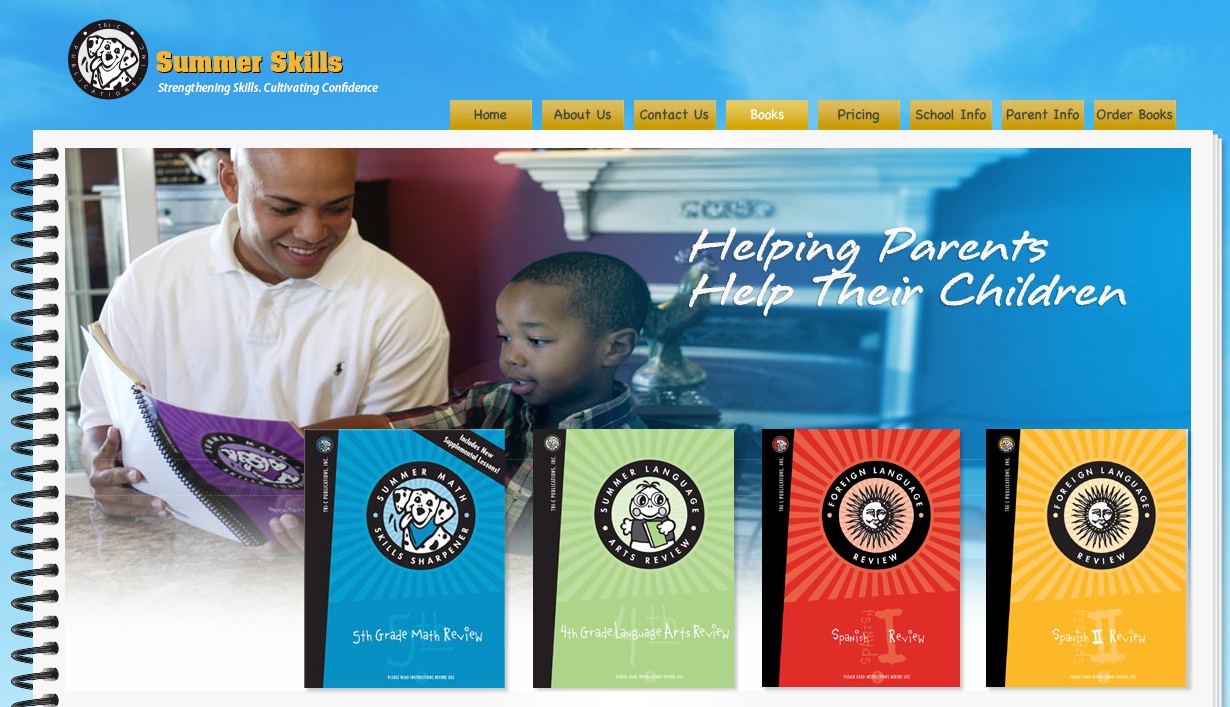
10. Summer Skills - This is not a website, but a series of books recommended by Upper School Mary Shannon to help review skills.


Do you have any other amazing ideas to reinforce math skills?  If so, send me a comment below: